The Magic of the Reveal
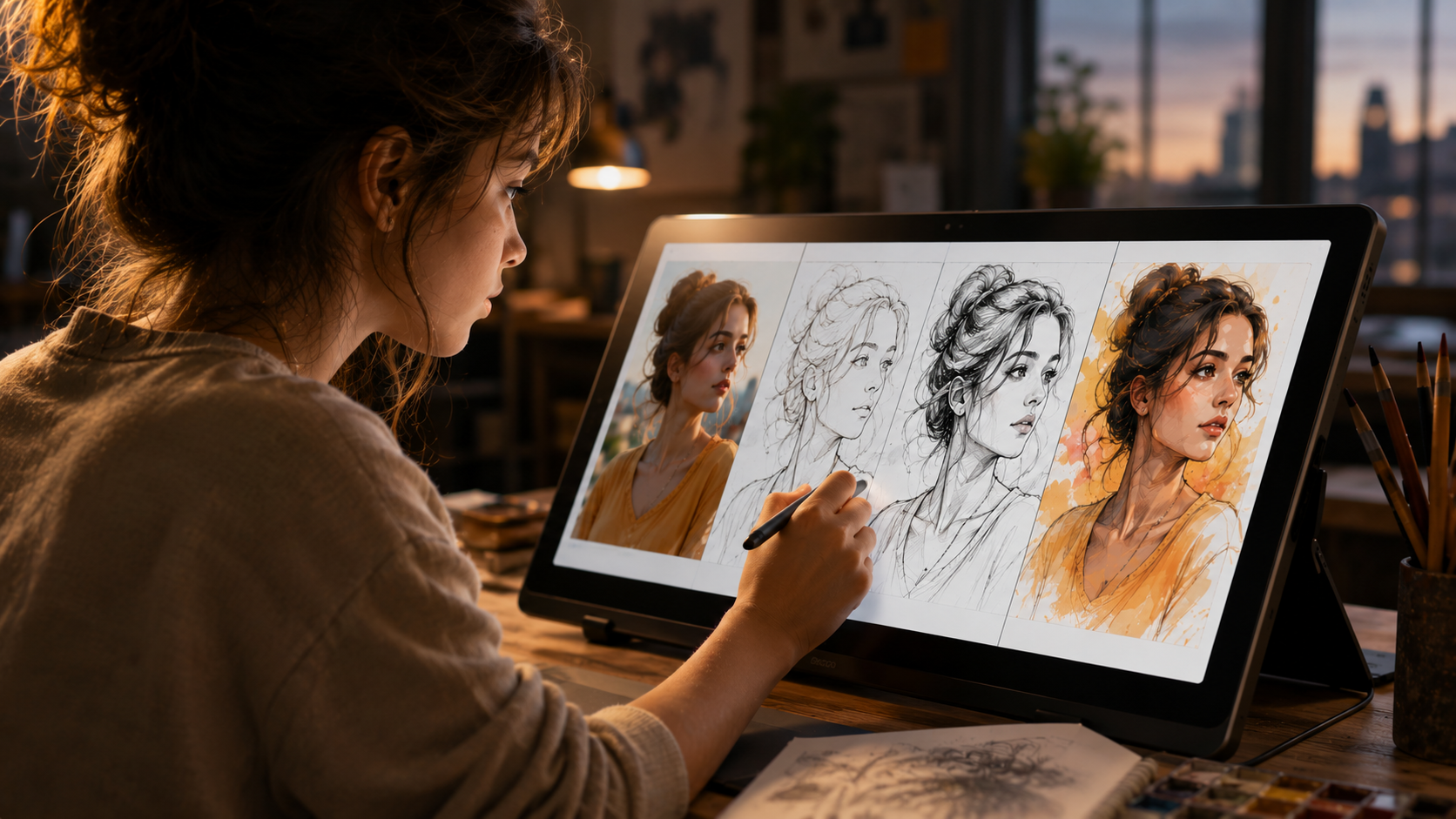
We’ve all seen them: the hypnotic videos where a blank white canvas slowly fills with lines, shadows, and vibrant colors until a masterpiece emerges. These "speedpaint" reveals are among the most engaging content types on social media today. But for many, the process remains a mystery. How do you upload photo to speed paint video formats without actually recording yourself drawing for hours?
The answer lies in a sophisticated process called "Temporal Deconstruction." In 2026, an ai speedpaint generator online free of cost—like the one we’ve built here at TimelapsePhoto.art—doesn't just apply a filter. It intelligently reverse-engineers the structural hierarchy of your image. It identifies the "bones," the "flesh," and the "skin" of the artwork, then plans a logical, performative sequence to redraw them from scratch.
This guide explores the technical workflow of an ai drawing timelapse generator, why the "reveal" is so psychologically powerful, and how you can master this tool to create high-retention content for TikTok, Reels, and YouTube Shorts.
Stage 1: The Skeletal Blueprint (Edge Extraction)
When you upload photo to speed paint video engines, the first task is "seeing" like an artist. The AI doesn't see a "cat" or a "landscape"; it sees gradients of light and color. To build a drawing path, it must extract the foundational lines.
Our ai speedpaint generator online free uses a multi-pass edge detection pipeline to ensure accuracy and artistic flair:
Intensity Gradient Mapping
The AI scans for sharp changes in pixel brightness. These 'gradients' represent the boundaries of objects. By mapping these, the system creates a high-fidelity line-art version of your photo.
Non-Maximum Suppression
To ensure the drawing doesn't look 'fuzzy,' the AI suppresses all pixels that aren't at the local peak of a gradient. This results in crisp, 1-pixel-wide lines that mimic a sharp technical pen.
Stage 2: Pathfinding and Stroke Logic
Identifying lines is only half the battle. If an ai drawing timelapse generator just faded the lines in all at once, it wouldn't look like a drawing—it would look like a simple digital transition. To create a "performance," the AI must decide *where to start* and *where to go next*.
This is achieved through advanced pathfinding algorithms. The system groups disconnected edge segments into continuous "contour chains." It then prioritizes these chains based on their length and structural importance. It mimics the human artistic process: drawing the large, foundational shapes (the silhouette) before moving into the fine details (the eyes, the textures).
In our automated drawing engine, this calculation happens entirely in your browser using OpenCV.js, ensuring your original photo stays 100% private. This local processing is a hallmark of the 2026 creative era.
Stage 3: Color Quantization and Washing
Once the "ink sketch" is complete, the ai speedpaint generator online free moves into the "coloring" phase. In a real painting, colors are layered and blended. Digitally, the AI simulates this by grouping similar-colored pixels into "islands."
Through a process called Color Quantization, the millions of colors in a photograph are reduced to a manageable palette. The AI then "washes" these colors across the canvas in a logical order, often starting with the largest background regions and finishing with the sharpest highlights. This creates that "oddly satisfying" feeling of an image being filled in with a digital brush, which is essential for high-retention video content.
Why the 'Reveal' Hooks the Human Brain
There is a biological reason why you should upload photo to speed paint video formats for social media. The human brain is hard-wired for Pattern Recognition.
The Curiosity Gap
When we see the first few lines of a drawing, our subconscious mind tries to finish the image. We ask ourselves, 'Is that a person? Is it a dragon?' This curiosity creates a 'hook' that forces the viewer to stay until the end to see if they were right.
Dopamine Release
Seeing a task completed in an orderly, rhythmic fashion releases small amounts of dopamine. It satisfies our craving for resolution. An ai drawing timelapse generator provides a perfect, error-free resolution every single time.
How to Master Your Speedpaint Reveal
Ready to put the science into practice? Follow these 5 steps to create a viral-ready video with our ai drawing timelapse generator:
- Source with Contrast: The AI needs edges to follow. A high-contrast photo (where the subject stands out from the background) will result in a much cleaner and more artistic reveal.
- Crop for the Feed: 9:16 Portrait is the king of 2026. Use our built-in cropper to ensure your video fills the entire phone screen, maximizing the immersive effect for your audience.
- The 12-Second Rule: Adjust the drawing speed slider so the reveal finishes in 10-12 seconds. This is the 'retention sweet spot' for Reels and TikTok algorithms.
- Add Narrative Context: Use our AI Story tool to add a voiceover. A narrated story synchronized to the drawing increases completion rates.
- Export & Audio: Download your watermark-free MP4 and add a trending, high-tempo audio track in the host app before posting.
Start Your Reveal Performance Today
Stop posting static pixels. Join the performance art revolution and turn your next idea into a masterpiece. No sign-up, no cost, 100% private local rendering.