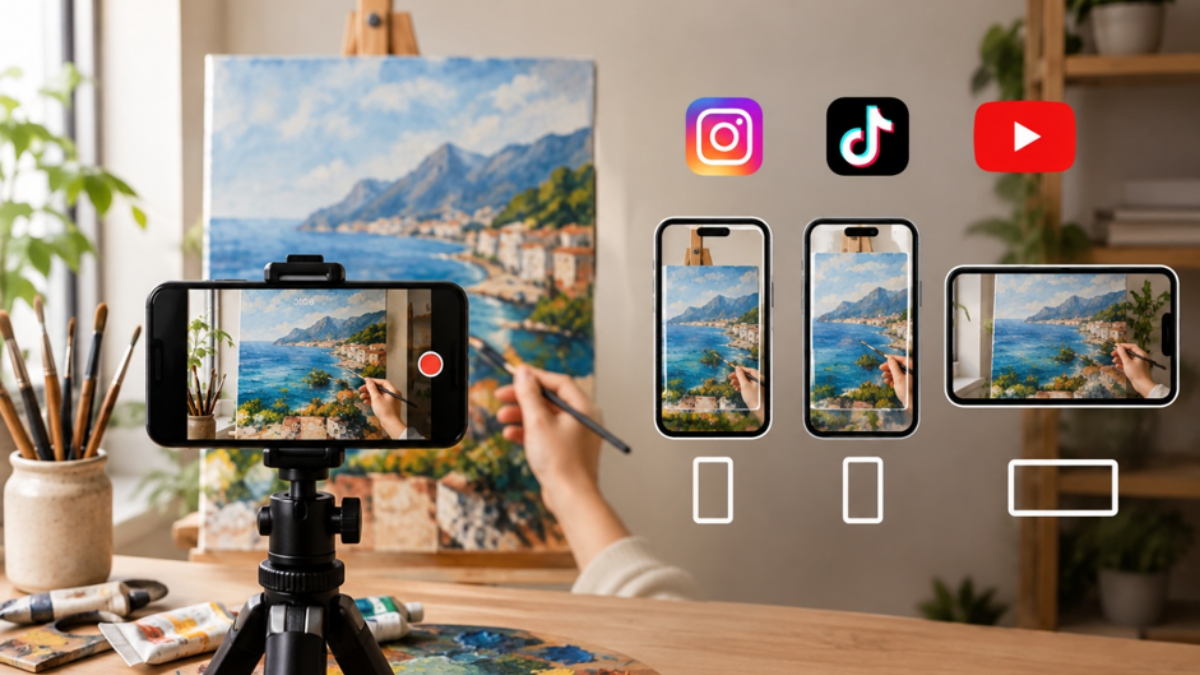
For art videos on Instagram Reels, TikTok, and YouTube Shorts, the recommended format is 9:16 at 1080 x 1920 pixels. Instagram feed videos suit 4:5, while longer YouTube and portfolio videos suit 16:9.
An incorrect art video aspect ratio can crop a signature, shrink a composition, or surround the work with black bars, undermining hours of careful craft. Because each platform is built around a specific format, mismatched content is routinely cropped, scaled down, or letterboxed. Choosing the correct frame before you edit protects your composition and presents your work as intended.
This guide outlines the ideal ratio for each platform, the reasoning behind each choice, and the framing practices that keep your artwork professional and fully visible on any device.
Key Points
- Use 9:16 at 1080 x 1920 px for Reels, TikTok, and YouTube Shorts.
- Use 4:5 for Instagram feed videos and 16:9 for long-form YouTube.
- One vertical export works across all three short-form platforms.
- Keep key details in the center, away from captions and buttons.
- Preview on a real phone before you post.
Why Does Aspect Ratio Matter More for Artists?
For artists, this matters more than for most creators. The wrong frame can cut off a corner you spent hours refining. Tall frames suit portraits naturally, while wide paintings need more care.
Aspect ratio is the proportion between the width and height of your video, written as width:height.
- 9:16: Tall and narrow, like a phone held upright.
- 16:9: Wide, like a traditional screen.
- 1:1: A perfect square.
Which Format Fits Each Platform Best?
9:16 is the default for short-form art video. Instagram Reels, TikTok, and YouTube Shorts are all built around full-screen vertical viewing, so a vertical art video fills the whole phone screen with no wasted space.
The table below covers the most common sizes.
| Platform | Best Aspect Ratio | Recommended Resolution | Notes |
|---|---|---|---|
| Instagram Reels | 9:16 | 1080 x 1920 px | Full-screen vertical; keep key details centered |
| Instagram Feed Video | 4:5 | 1080 x 1350 px | Takes up more feed space than square |
| Instagram Stories | 9:16 | 1080 x 1920 px | Leave space at top and bottom for interface |
| TikTok | 9:16 | 1080 x 1920 px | Captions and buttons overlap the edges |
| YouTube Shorts | 9:16 | 1080 x 1920 px | Vertical, with a short-form feed layout |
| YouTube (standard) | 16:9 | 1920 x 1080 px | Best for long-form process videos |
| Portfolio website | 16:9 or 1:1 | 1920 x 1080 px or 1080 x 1080 px | Depends on your page layout |
Platforms update their specs from time to time, so check current guidelines before an important upload.
How Big Should an Instagram Reel Be?
The ideal Instagram Reel size is 1080 x 1920 pixels in a 9:16 ratio. A square or horizontal upload is placed inside the vertical frame with empty bars above and below, which leaves your artwork looking small.
- Reels: 9:16 is the target and the safest choice for reaching new audiences.
- Feed posts: 4:5 portrait takes up more vertical space as people scroll. Square 1:1 also works well.
- Stories: 9:16, with interface elements at the top and bottom that can cover your art.
Profile grids also show previews in a cropped shape, so choose a cover frame that keeps the most interesting part of the artwork in the center.
What Is the Best Video Size for TikTok Art Videos?
The best TikTok video size is 1080 x 1920 pixels at 9:16, the same as Instagram Reels. TikTok places your username, caption, and music information along the bottom, with action buttons down the right side.
If your artwork reaches the bottom edge, the caption will sit on top of it, so keep important details inside the central area of the frame.
Can One Vertical Export Work for YouTube Shorts Too?
Yes. The standard YouTube Shorts dimensions are 1080 x 1920 pixels at 9:16, so a single vertical export can be reused across Reels, TikTok, and Shorts with little or no change.
YouTube also uses aspect ratio to classify uploads. A vertical video within the supported length limit is eligible for the Shorts feed, while a horizontal 16:9 video is treated as a standard video. For a longer process video, such as a full-speed painting with commentary, 16:9 at 1920 x 1080 pixels remains the right choice.
How Do You Export an Art Video in the Right Aspect Ratio?
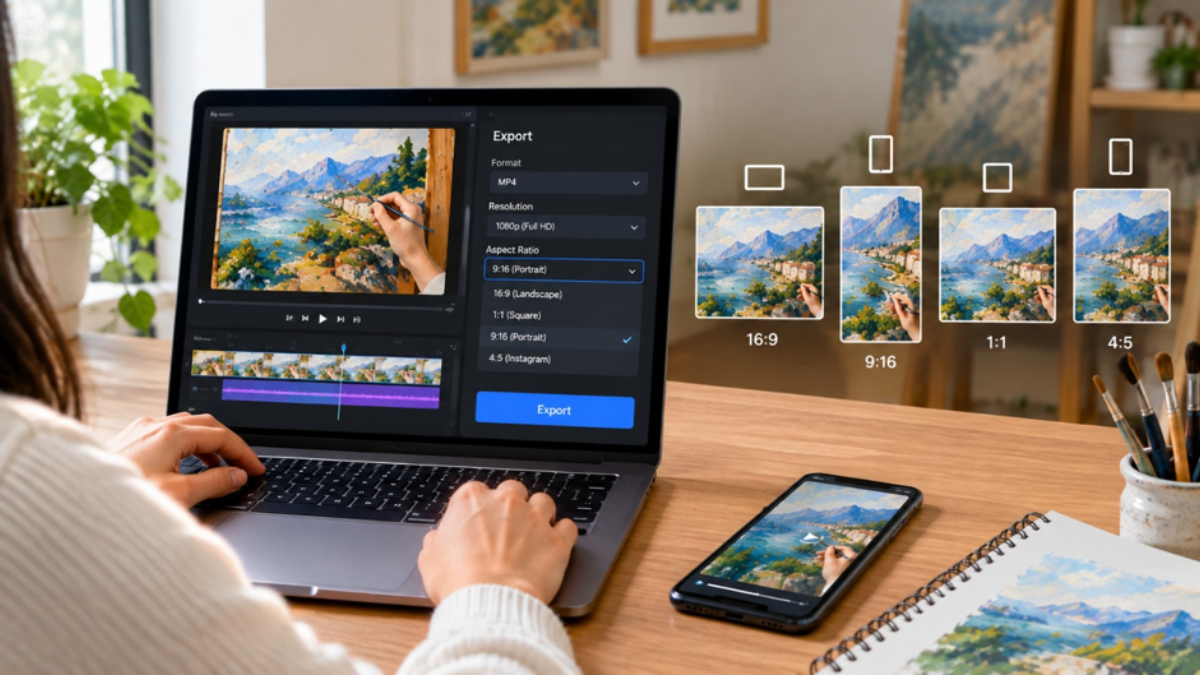
Follow these six steps to get the right frame from the start, instead of fixing it after editing.
Step 1: Decide where it will live first: Pick the main platform before you edit. For short-form platforms, start with 9:16.
Step 2: Check your artwork's shape: Note whether your artwork is portrait, landscape, or square, so you know how much you will need to crop or pad.
Step 3: Set the canvas before you edit: Create your project at 1080 x 1920 pixels instead of resizing after you place your clips.
Step 4: Frame inside the safe area: Keep the main features away from the top, bottom, and right edges, where captions and buttons sit.
Step 5: Add a simple background if needed: If your artwork is wider than the frame, place it on a clean, neutral background rather than stretching it.
Step 6: Export and preview on a phone: Watch the file on a real phone before posting to see how the interface sits over your work.
How Can You Frame a Vertical Art Video Without Losing Detail?
A few simple framing habits keep your artwork complete and professional on any screen.
- Keep the main subject in the center third of the frame.
- Use a plain background in a color that complements the piece.
- Never stretch a landscape artwork to fill a vertical frame.
- Export at the highest resolution the platform accepts.
Think of the frame as a small window on a phone. Whatever sits outside the center is the first thing to get covered or cut off.
What Framing Mistakes Should You Avoid?
Most framing problems come from small, avoidable choices, not from the artwork itself. Check your video against this list before you post.
- Uploading a 16:9 video to a vertical platform, leaving a tiny image between black bars.
- Placing the signature or final details at the bottom edge, where captions will cover them.
- Stretching or squashing artwork, which distorts its proportions.
- Exporting at low resolution, which makes fine linework look soft.
Each of these is easy to fix before you publish. A quick check against this list keeps your artwork sharp, centered, and fully visible.
Expert Insights
Getting the ratio right is only part of the job; how you frame your artwork inside it matters just as much. These practical takeaways will help you present your work cleanly on every platform.
- Plan the frame early. Choosing the platform and ratio before editing prevents cropping problems later.
- Think in a safe area. Captions, buttons, and interface elements cover the edges, so central placement protects your work.
- One export, many platforms. A single 9:16 file at 1080 x 1920 pixels works across Reels, TikTok, and Shorts.
- Never stretch to fit. A clean, neutral background keeps proportions true when artwork does not match the frame.
- Test on a real device. A phone preview shows exactly how the interface sits over your art.
Conclusion
The right aspect ratio will not make your art better, but it ensures your art is seen as you intended. For Reels, TikTok, and Shorts, 9:16 at 1080 x 1920 pixels is the dependable standard, with 4:5 for Instagram feed posts and 16:9 for longer YouTube videos. Plan your frame early, keep important details centered, and preview before you post.
With TimelapsePhoto.art, you can turn your process photos into a smooth drawing animation in minutes, right in your browser, with no editing experience required. Choose a vertical format, upload your stages, and export a reveal that fits every platform from the first frame.
Frequently Asked Questions
1. What is the best aspect ratio for an art video on Instagram?
For Reels and Stories, use 9:16 at 1080 x 1920 pixels. For regular feed videos, 4:5 portrait gives you more screen space than square or landscape.
2. Can I use the same video on Instagram, TikTok, and YouTube Shorts?
Yes. All three use 9:16 at 1080 x 1920 pixels, so one export works across them. Keep important details away from the edges, since each platform places captions and buttons in slightly different spots.
3. What happens if I upload a horizontal art video to a vertical platform?
The platform usually shrinks the video to fit the screen width and adds empty bars above and below, making your artwork look much smaller. Export a proper vertical version instead.
4. What resolution should I export my vertical art video in?
1080 x 1920 pixels is the standard for short-form vertical video. It shows fine details in drawings and paintings without creating an oversized file.
5. How do I keep my signature and fine details visible in a vertical art video?
Keep them inside the central area of the frame, away from the bottom and right edges where captions and buttons appear. Then preview the video on a real phone before posting to confirm nothing is covered.
Start Your Next Vertical Art Video
Upload a few stages of your artwork and turn them into a polished, correctly sized reveal video in minutes, ready for Reels, TikTok, and Shorts.